
Back to Blog

Why Microsoft Clarity Stops at the Firewall — and How Clarity Connect 365 Extends It into Dynamics 365, M365, and Copilot

By Asif Rehmani
Updated May 4, 2026
Clarity Connect 365 Extends Clarity to MS ecosystem
VisualSP
Blog
Why Microsoft Clarity Stops at the Firewall — and How Clarity Connect 365 Extends It into Dynamics 365, M365, and Copilot

If you've used Microsoft Clarity to understand how visitors behave on your public website, you already know how powerful behavioral analytics can be. Heatmaps, session replays, dead clicks, rage clicks — Clarity surfaces the kind of insight that turns guesswork into evidence. And it's free, which is rare for a tool this useful.

But here's where most enterprise teams hit a wall: the moment you try to deploy Clarity inside your internal Microsoft applications — Dynamics 365, SharePoint, Power Platform apps, Copilot-enabled experiences — it doesn't work. The same tracking script that drops cleanly into a marketing landing page silently fails (or is outright blocked) inside the apps where your employees actually do their work.

If your goal is to understand internal adoption — why a sales rep abandons a Dynamics form, why a knowledge worker stops using Copilot after week three, why your shiny new SharePoint site gets ignored — Clarity alone can't tell you. That gap is exactly what Clarity Connect 365 by VisualSP exists to close.
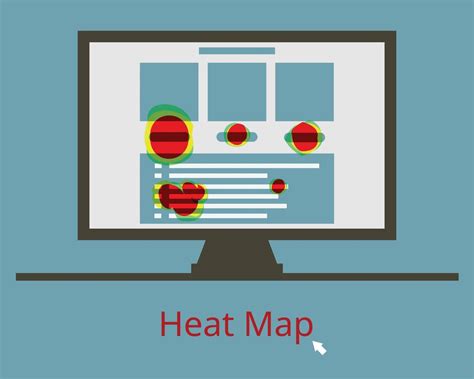
Heatmap visualization showing user click behavior on a webpage

Heatmaps reveal where users click, scroll, and hesitate — but only on apps where Clarity can actually run. (Image: Vecteezy)

Why Microsoft Clarity stops at the firewall

Microsoft Clarity was built for the open web. Drop a JavaScript snippet into your site's <head>, and within minutes you're collecting heatmaps and replays. That works because public websites are mostly static HTML, single-domain, and free of the strict Content Security Policy rules typical of enterprise tenants.

Internal Microsoft applications are a different story. Three things break the standard Clarity install:

  1. Single-page application architecture. Dynamics 365, modern Microsoft 365 apps, and Power Platform solutions are SPAs with restricted DOM access. Traditional tracking scripts that assume page navigations and a writeable DOM either misfire or capture nothing meaningful.
  2. Content Security Policy and tenant restrictions. Most enterprise Microsoft tenants block third-party scripts. Even when the "third party" is Microsoft itself, the script still has to be approved, signed, or whitelisted — which requires developer time and security review.
  3. No supported install path. Clarity offers an installation flow for websites. It does not offer a supported way to install inside Dynamics 365 forms, model-driven apps, SharePoint Online, OneDrive, Planner, Forms, or Copilot experiences.

The practical result: teams either give up on internal analytics, or they hand the problem to engineering and wait months for a custom solution that nobody wants to maintain.

What Clarity Connect 365 actually does

Clarity Connect 365 by VisualSP is a no-code integration that activates Microsoft Clarity inside Microsoft enterprise applications, securely and without custom development. Think of it as the missing install path — purpose-built for the apps Clarity wasn't designed to reach.

Key capabilities:
  • Plug-and-play Clarity tracking inside Dynamics 365 (Customer Engagement, Business Central, and supported Finance & Operations scenarios), Microsoft 365 web apps (SharePoint, OneDrive, Planner, Forms), Power Platform solutions, and Copilot-enabled experiences.
  • Session recordings and heatmaps that work on real internal workflows — not approximations.
  • Event tracking to measure feature usage and adoption scenarios.
  • Enterprise-grade data masking and privacy controls configurable by your organization.

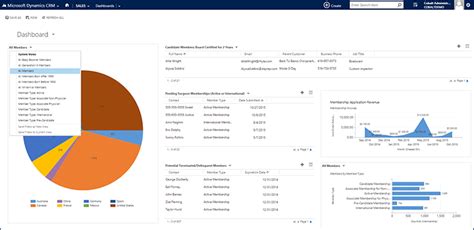
Microsoft Dynamics 365 dashboard interface

Internal apps like Dynamics 365 are exactly where Clarity Connect 365 unlocks behavioral analytics. (Image: Cobalt)

For Dynamics 365 CRM and Business Central, deployment uses a centralized installation package — admin-managed, controlled rollout. For everything else (including Finance & Operations), a managed browser extension does the same job. No code, no custom development, no months-long security review of bespoke scripts.

Why this matters for adoption, not just analytics

Generic web analytics tools tell you what users did. They rarely tell you what to do next. The reason Clarity Connect 365 lives inside the VisualSP ecosystem matters here: VisualSP's whole purpose is digital adoption. So the same platform that observes friction can also fix it — through in-app guidance, walkthroughs, and microlearning delivered exactly where users are stuck.

That changes the workflow:

  • Identify real friction points with Clarity Connect 365 (session replays, heatmaps, frustration signals).
  • Deploy targeted in-context help from VisualSP at those exact friction points.
  • Measure the change with a before/after Clarity comparison — and prove the training or UX fix actually moved behavior.

Most analytics tools stop at "identify." Most enablement tools stop at "deploy." Clarity Connect 365 plus VisualSP closes the loop.
Session replay analytics interface

Session replays show exactly where employees hesitate, backtrack, or abandon a workflow — the raw material for better in-app guidance. (Image: Mouseflow)

Three things to do this week

  1. Audit where you have visibility today. List every Microsoft enterprise app your employees use daily — Dynamics 365, SharePoint, Copilot, Power Apps, your custom Power Platform solutions. For each, mark whether you have any behavioral data. Most teams find the answer is "no" for nearly every internal app.
  2. Pick one workflow that's underperforming. A Dynamics form with low completion rates. A SharePoint page nobody scrolls. A Copilot rollout that stalled at 20% adoption. That's your first Clarity Connect 365 candidate.
  3. Trial it where the friction is highest. Clarity Connect 365 offers a free trial. Deploy it on the one workflow you flagged. Within a week you'll have heatmaps and session replays showing exactly what's going wrong — and where in-context guidance would have the biggest impact.

The bottom line

Microsoft Clarity is a phenomenal tool — for the web it was built for. For the internal Microsoft applications where your employees spend their days, you need something purpose-built. Clarity Connect 365 makes Clarity practical inside Dynamics 365, Microsoft 365, Power Platform, and Copilot — without code, without custom security reviews, and without the assumption that what works on a marketing site will work inside your CRM.

If you're investing in adoption, you can't optimize what you can't see. Make the invisible visible.

Learn more or start a free trial: Clarity Connect 365 by VisualSP

Fuel Employee Success

Boost employee productivity with VisualSP's easy-to-use platform for in-app guidance
Get Started Free

VisualSP accelerates digital adoption, digital transformation & user training.

Get a Demo
Table of Contents

Stop Pissing Off Your Software Users! There's a Better Way...

VisualSP makes in-app guidance simple.