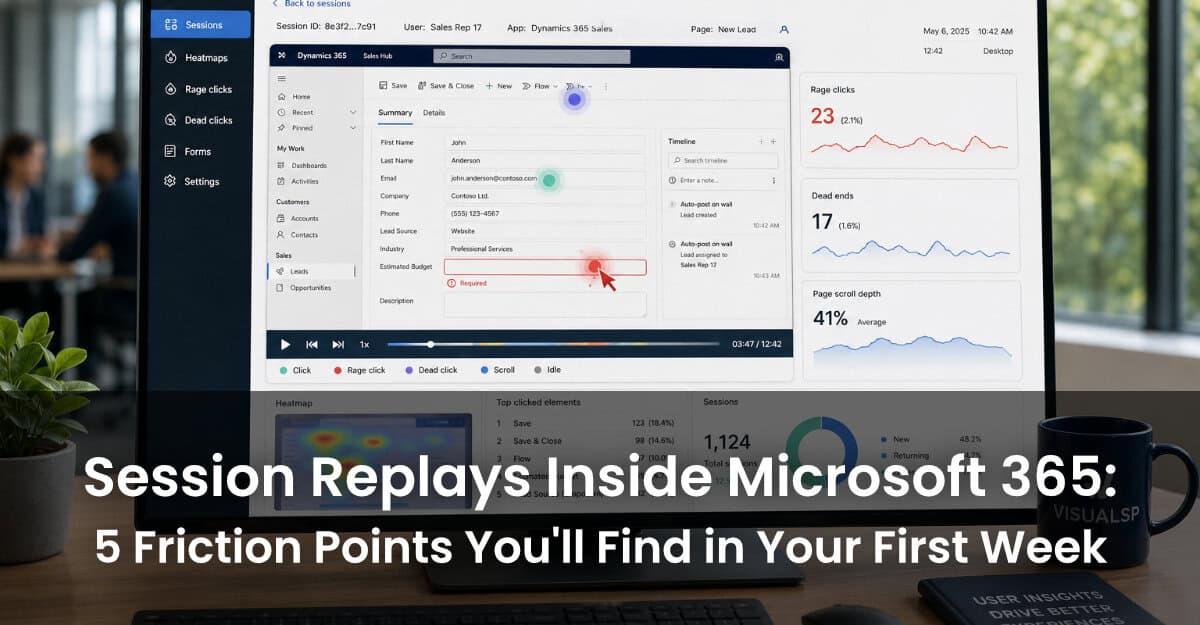
Most IT leaders and digital adoption professionals assume they know where users struggle inside Microsoft 365. They're usually wrong.
Traditional usage reports tell you that someone opened Dynamics 365 or visited a SharePoint site — but they can't tell you what happened next. Did the user complete the workflow? Did they click the wrong button three times before giving up? Did they abandon an approval process halfway through?
Session replay changes that. And Clarity Connect 365 by VisualSP brings that capability — previously available only on public websites through Microsoft Clarity — directly into your internal Microsoft apps.
This article walks through five friction points that organizations almost universally discover in their first week of using session replays inside M365. You might recognize some of these symptoms. Once you see the recordings, you'll understand why they've been so hard to fix.
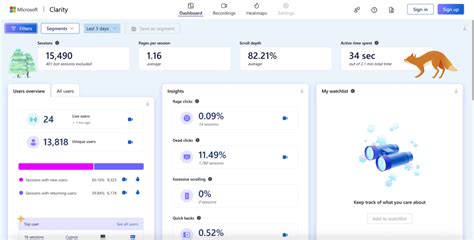
Microsoft Clarity is a free behavioral analytics platform that captures heatmaps and session recordings for web properties. It's powerful — but out of the box, it wasn't designed for internal enterprise applications behind a firewall.
Clarity Connect 365 by VisualSP is the no-code integration that changes this. It deploys Microsoft Clarity into Dynamics 365, SharePoint, Power Platform apps, and Copilot-enabled experiences — without custom development. You get session recordings that show exactly what employees do inside your workflows: where they click, where they hesitate, what they scroll past, and where they quit.
According to the Gallup State of the Global Workplace 2025 report, $438 billion was lost in global productivity in 2024 due to disengagement — and poorly designed digital workflows are a documented contributor. In the first week of deployment, the same five friction points tend to surface across Clarity Connect 365 customers, regardless of industry or organization size.

Across almost every Dynamics 365 deployment, session replays reveal forms that users start and don't finish. Sales reps open a new lead record, fill in the basics, then exit without saving. Case workers start an intake form and abandon it 40% of the way through.
The reasons vary: the form is too long, a required field label is unclear, a dropdown option doesn't exist for the user's situation, or the save behavior was unexpected. Classic usage reports show that the form was "accessed" — but never reveal the pattern of starts-and-stops happening inside it.
With Clarity Connect 365 session replays, you can filter for sessions where a form was opened but not submitted, watch what happened, and identify the single field or interaction causing the drop-off. In many cases, a label change or a tooltip resolves a friction point that has been quietly costing hours of rework and duplicate data entry every week.
SharePoint sites are built with good intentions. Over time, they accumulate links, document libraries, and page structures that make perfect sense to the team that built them — and very little sense to the people using them.
Session replays routinely expose navigation dead ends: users landing on a page, scrolling to the bottom, and then clicking the browser's back button. No link worked. No document was found. The user gave up.
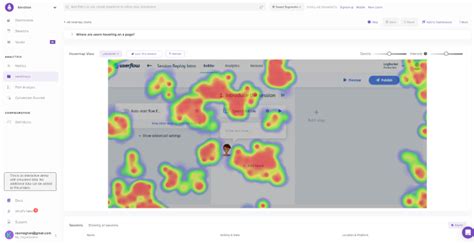
Heatmaps in Clarity Connect 365 make this even more visible: cold spots on navigation menus that nobody clicks, and hot spots on the search bar that indicate users are too frustrated to browse. This is the kind of behavioral evidence that cuts through internal debates about information architecture. Instead of asking "do you think users can find the policy documents?", you can show a recording of 12 people failing to do exactly that.
One of Microsoft Clarity's signature signals is rage-click detection — when a user clicks the same element repeatedly in rapid succession, indicating frustration. Inside Dynamics 365, this shows up in predictable places: a button that appears active but requires a preceding step to be completed first; a status field that looks editable but isn't; a command bar option that is grayed out with no explanation of why.
On external websites, rage-clicks often mean a broken link. In internal enterprise apps, they almost always mean a workflow design problem or a missing piece of onboarding. Clarity Connect 365 surfaces these recordings automatically, so your IT team doesn't have to wait for a support ticket to know that something is broken in the user experience.
If your organization has deployed Microsoft Copilot, session replays quickly reveal whether employees are actually using it — and if not, where the adoption gap sits. Do users scroll past Copilot entry points without noticing them? Do they click on the Copilot panel, glance at it, and then close it to do the task manually?
This is insight that Microsoft 365 native usage reports cannot provide. Aggregate activity data tells you whether Copilot was "active" in a session — not whether it helped. Clarity Connect 365 session recordings show the behavioral context: a user opens a Teams meeting summary via Copilot, reads the first two lines, and then switches back to email instead of acting on the summary. That is a different problem than a user who never opens Copilot at all. One needs UX improvement; the other needs awareness training. Session replay tells you which is which.
Every enterprise has workflows that technically work but that most users execute incorrectly. An approval process with a shortcut that only power users know about. A Dynamics 365 record update that requires steps in a specific sequence — but nobody documented what that sequence is.
Session replays expose the wrong-path pattern clearly: some users complete a task in three steps; others take twelve. That twelve-step journey isn't a training failure in isolation — it's evidence that the interface doesn't guide users toward the intended path.
This is where Clarity Connect 365 connects directly to VisualSP's in-app guidance capabilities. Once you've identified a wrong-path workflow from session data, you can deploy targeted walkthroughs or tooltips at precisely the step where users go astray. The loop closes: behavioral data informs guidance design, and guidance reduces the friction that shows up in future replays.
The value of session replays isn't in watching recordings — it's in acting on them. Here is a practical rhythm for the first 30 days:
The organizations that get the most from behavioral analytics treat it as an ongoing practice, not a one-time audit. Clarity Connect 365 makes that sustainable by embedding behavioral insight directly into the Microsoft ecosystem your team already works within — no separate analytics stack, no custom development, no security compromises.
Clarity Connect 365 is available as a standalone product or as part of the VisualSP Digital Adoption Platform — and setup requires no code. Start a free trial or request a demo.
Sources: Gallup State of the Global Workplace 2025; VisualSP Clarity Connect 365 product documentation (visualsp.com); VisualSP article "What tools combine digital adoption analytics with session replay for Microsoft 365?"
VisualSP accelerates digital adoption, digital transformation & user training.

Stop Pissing Off Your Software Users! There's a Better Way...
VisualSP makes in-app guidance simple.

