Here's a question that makes most IT leaders uncomfortable: do you actually know what your employees do inside Microsoft 365 and Dynamics 365 every day?
Not what you think they do. Not what the training completion reports say. Not the summary you get from a quarterly survey that 40% of people fill out because someone reminded them twice. What they actually do — the workflows they skip, the features they ignore, the forms they half-fill and abandon, the Copilot prompts they type and then delete.
For most organizations, the answer is: no. And that's a problem that compounds quietly until it shows up as something expensive — failed adoption, low ROI on a multi-million-dollar Dynamics rollout, Copilot licenses collecting dust, or a help desk backlog full of tickets for things that shouldn't be confusing at all.
"We'd done the training, we'd sent the comms, we'd set up the governance — and then six months in, half the team was still using the old process. Nobody told us. The data didn't exist."
Enterprise software has a dirty secret: most of the friction employees experience never gets reported. They don't open a support ticket when a Dynamics form is confusing — they just muddle through or work around it. They don't tell you when a SharePoint workflow doesn't match how they actually think about the task — they find a workaround or give up. They definitely don't flag the three Copilot features in their license that they've never figured out how to use.
This invisible friction is the gap between what your investment was supposed to deliver and what it's actually delivering. And the only way to see it is to watch what people do — not what they say they do.
Consumer web has understood this for years. Every major consumer product company runs heatmaps, session recordings, and behavioral analytics on their public-facing sites. Internal enterprise apps get none of that. Which is remarkable given how much more they cost and how much more depends on them working well.

Most organizations try to measure adoption with the tools they have — license utilization reports, training completion rates from their LMS, the occasional pulse survey. These aren't useless, but they're not telling you what you need to know.
License utilization tells you someone logged in. Training completion tells you someone watched a video. Surveys tell you how people feel about a tool two weeks after they filled out the feedback form. None of these reveal where users are hitting dead ends, which workflows have usability problems, or which parts of a recently rolled-out feature nobody is touching.
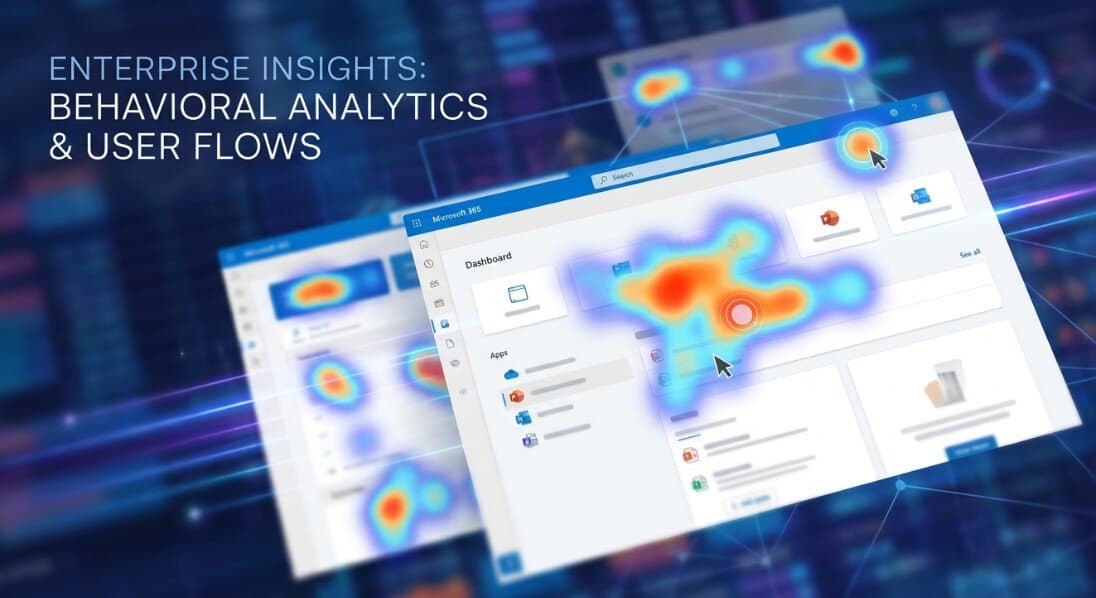
This is exactly what Clarity Connect 365 is built for. It's a no-code integration that brings Microsoft Clarity's heatmaps and session recordings into internal Microsoft enterprise applications — Dynamics 365, Microsoft 365, SharePoint, Copilot-enabled experiences, and Power Platform solutions — where standard web analytics tools simply don't work.
Once it's running, you can see things like:
All of this with enterprise-grade data masking. Sensitive field values are masked before they're ever captured — you see user behavior patterns without seeing the underlying data.
The practical impact of having this data shifts how IT and digital transformation teams operate. Instead of running another survey to understand why Dynamics adoption is flat six months after go-live, you can watch session recordings and find out in an afternoon. Instead of guessing which part of a SharePoint intranet needs redesigning, you look at the heatmap and the answer is obvious.
For organizations running Copilot rollouts, this matters especially. Copilot adoption is notoriously hard to measure because engagement data from the Microsoft admin center tells you almost nothing about what people are actually doing with it. Clarity Connect 365 gives you real behavioral visibility into Copilot-enabled experiences — so you can see what's sticking and what isn't, and adjust your enablement accordingly.
The organizations that deploy and actively use Microsoft enterprise software — that extract real ROI from it rather than just licensing it — are the ones that treat their internal apps with the same analytical rigor consumer companies apply to their customer-facing products.
Clarity Connect 365 takes hours to deploy — no code, no custom development.
VisualSP accelerates digital adoption, digital transformation & user training.

Stop Pissing Off Your Software Users! There's a Better Way...
VisualSP makes in-app guidance simple.

