Bring Clarity
to Dynamics 365 CRM
Without the Headache
Clarity Connect 365 by VisualSP makes it easy to activate Microsoft Clarity insights inside Microsoft Dynamics 365 CRM with zero coding and zero hassle.
VisualSP - Trusted by Industry Leaders











Why Clarity + Dynamics 365 Matters
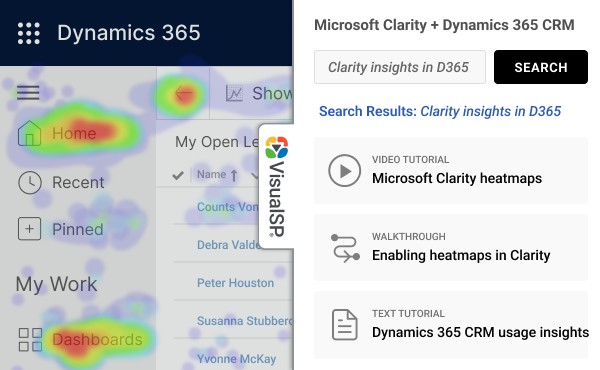
Dynamics 365 CRM is powerful, but without user analytics it’s difficult to know what’s working and what’s not. Microsoft Clarity gives you heatmaps, session replays, and behavior analytics that are incredibly helpful.
Unfortunately, Dynamics doesn’t allow you to install Clarity the usual way. Clarity Connect 365 changes that. It enables Clarity tracking inside Dynamics 365 CRM with a single toggle using the VisualSP platform.

What Can You Do with Clarity Connect 365?
Spot Friction Points
Session recordings reveal exactly where users struggle. Improve your CRM workflows based on real behavior, not assumptions.
Use Heatmaps to Prioritize Changes
Visualize which features and buttons are actually used. Remove clutter and focus attention where it matters.
Track Training Effectiveness
See how user behavior changes after training. Prove adoption and guide future improvements.
Prevent Issues Early
Catch errors and usability problems before they turn into support tickets.
Keep Sensitive Data Protected
Apply preconfigured masking rules to protect personal data while still getting valuable insights.
What Makes Clarity Connect 365 Different?
Most tracking tools cannot work inside Dynamics 365 CRM. It’s a complex Single Page Application with restricted access. Manual setup requires developer support, custom solutions, and security reviews.
Clarity Connect 365 removes all of that friction.
No
Clarity Connect 365
It’s Easy to Get Started
Whether you’re a Dynamics 365 CRM administrator, business analyst, or Microsoft partner, you can use Clarity without needing code or custom deployment.
Hear From Other Teams
“We finally have visibility into what users do inside Dynamics. The VisualSP team set it up for us in one day.”
Head of Digital Operations
Manufacturing Company
“We use Clarity Connect 365 to evaluate onboarding progress and training impact across departments. It’s been a game changer.”
CRM Analyst
Healthcare Sector
Frequently Asked Questions
Do I need to write code to enable this?
No. The setup is handled by VisualSP. You simply install the extension and request Clarity tracking.
Can I customize what gets tracked?
Yes. We help you set data masking rules and choose which environments to track.
Does it work with custom apps inside Dynamics?
Absolutely. Clarity Connect 365 supports all model-driven Dynamics apps, including custom entities and views.
How is user data protected?
The Clarity project uses masking to hide sensitive content. VisualSP does not store or replay any data.
Can I use this in both production and sandbox environments?
Yes. You can set up different Clarity projects for each environment.
Got more questions? Take a look at more FAQs about VisualSP.
